0:00
Amber studio
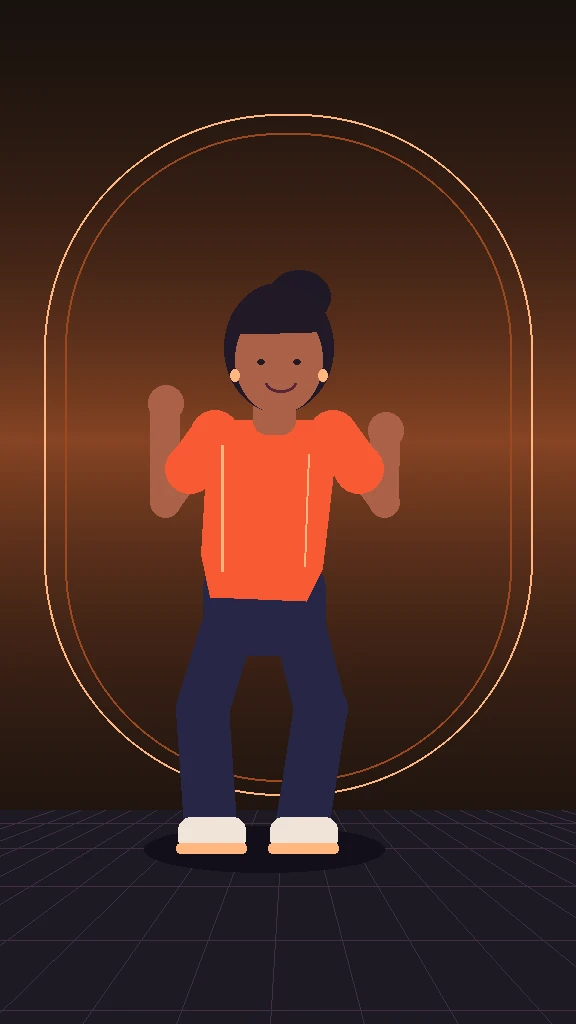
Follow the side step and the weight transfer with a fixed camera.
 La Mujer Pelotero DanceCreate a dance video
Turn a photo of a consenting adult into a vertical dance clip.
Choose 5 or 10 seconds. An original dance beat is included.
Original dance preview · 10 seconds · instrumental beat
THE TREND, EXPLAINED
Updated November 10, 2026
La Mujer Pelotero Dance takes inspiration from short videos set to “La Mujer del Pelotero,” also searched as “baile de La Mujer del Pelotero.” Different recordings share the title, and creators use different moves. This studio routine follows an alternating side step, a forearm lift, and a return to center.
Want to learn the dance? Play the studio preview slowly and use the count-by-count guide. If you came to make a clip, start with one photo and let the prepared reference supply the movement.
ORIGINAL STUDIO PREVIEWS
Three illustrated studio previews show the dance’s timing and framing. They are original animations.
Follow the side step and the weight transfer with a fixed camera.
Watch the alternating forearm lift. Both wrists stay in frame.
See how the reset at center makes the phrase easier to repeat.
PHOTO → DANCE → SHARE
Use a sharp JPEG, PNG, or WebP up to 10 MB. Choose one adult with both shoes and hands in view. A waist-up photo leaves the AI model to invent the lower body.
Pick 5 seconds for one phrase or 10 seconds to repeat it. Choose 480p, 720p, or 1080p. La Mujer Pelotero Dance shows the credit charge before you submit.
Follow the task in your private video library. Check the face, outfit, and footwork, then download the MP4 with its original dance beat.
THE DETAILS, UP FRONT
La Mujer Pelotero Dance uses the same opening stance and a fixed full-body camera for both lengths. Processing time depends on the provider queue.
PAY FOR WHAT YOU MAKE
The tables show the credit charge for each length and resolution. Each pack is a one-time purchase. Compare how many videos a pack covers at the length you select.
Credits per video
50 credits
$9.90USD · one-time payment
480p uses 20 credits per 10-second video.
10 credits left. Not enough for another 480p video.
100 credits
$19.90USD · one-time payment
720p uses 45 credits per 10-second video.
10 credits left. Not enough for another 720p video.
160 credits
$29.90USD · one-time payment
720p uses 45 credits per 10-second video.
25 credits left. Not enough for another 720p video.
Credits never expire. Only confirmed failed or canceled tasks automatically return their deducted credits; queued or unconfirmed submissions are not failures. Completely unused packs qualify for a full refund within 7 days of purchase; partly used packs are not refundable. Refund policy
A BETTER FIRST TAKE
Choose a photo with even light and a plain background. Leave room around the shoulders and feet. Avoid crossed arms, covered eyes and other people in the frame.
Check the face, hands and footfalls in the result. A higher resolution can add detail, but it cannot recover an obscured face or guarantee a likeness.
Compare photo-to-dance workflowsGOOD QUESTIONS. STRAIGHT ANSWERS.
One recording used in the trend is “La Mujer del Pelotero” by Ángel DR. Videos use different recordings and dance variations. Follow our dance guide to learn the studio routine: soften your knees, step left, shift right, and return to center.
The previews and guide are free. Personal renders require an account and credits. When checkout is available, one-time packs are $9.90 for 50 credits, $19.90 for 100, and $29.90 for 160. There are no free signup credits.
Yes. Upload one JPEG, PNG or WebP of a consenting adult, up to 10 MB. Pick a length and resolution. The generator supplies the dance reference, so your photo is the only file you need.
The MP4 comes with our own instrumental dance beat. To use the song on TikTok, mute the included beat and add a recording available for your post from TikTok’s Sounds picker.
Yes. Both lengths export as a 9:16 MP4 at 480p, 720p or 1080p. Your video library has the download once generation finishes. The generator shows the credit cost before you submit.
No. La Mujer Pelotero Dance runs in your browser and provides the motion reference. An editor is optional for replacing the music or trimming. Use a different workflow if you want to supply your own performance.
Confirmed technical failures return the credits used. If the provider has not confirmed submission, keep the original task and wait for review before trying again.
Selecting a photo prepares it in your browser. Submitting sends it to KIE for processing under its policies. The finished MP4 is private by default. If you create a share link, anyone with that link can open it until it expires.
Start with one photo and choose how long your dance clip should run.